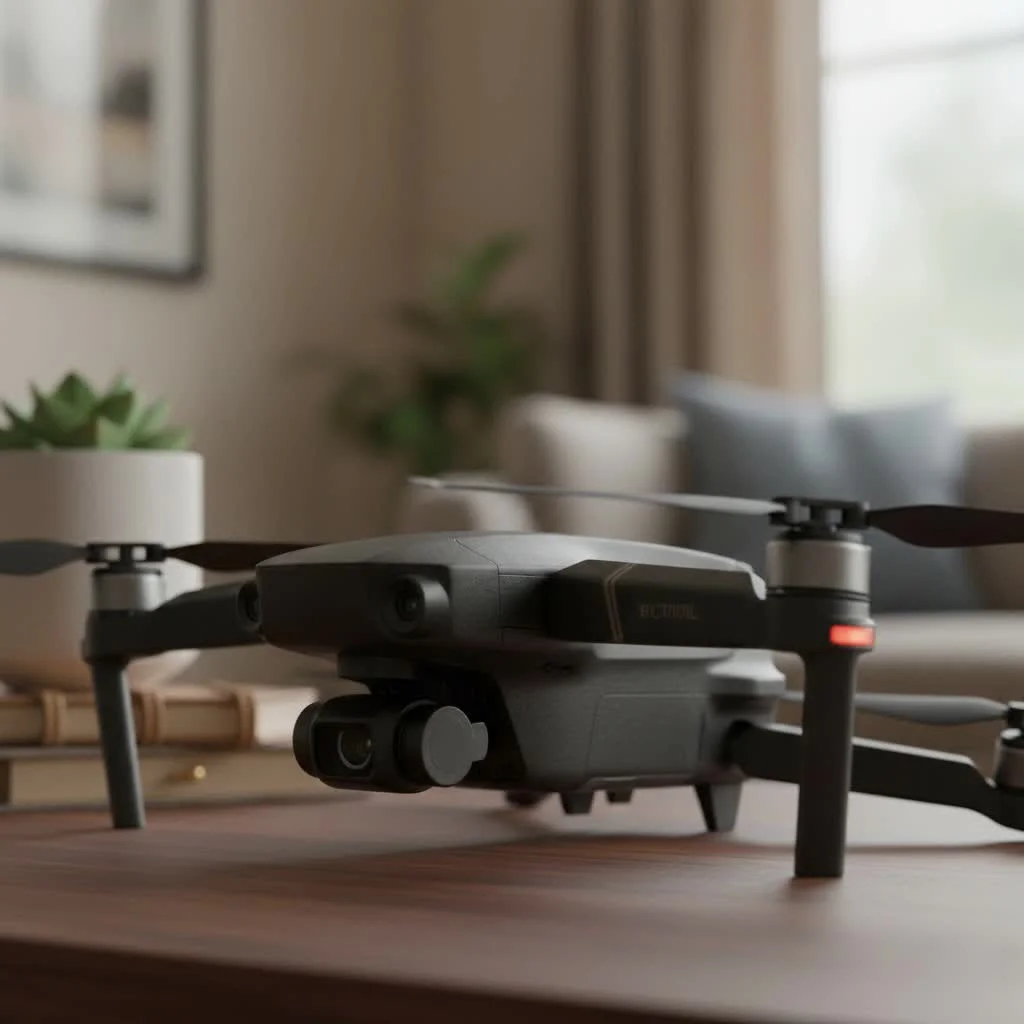
The DJI Mini 2 drone, even in 2025, remains an excellent choice for beginners due to its sub-249-gram weight, which often exempts it from registration requirements in many countries, and its ability to capture crisp 4K video at 30 frames per second. It offers a compelling balance of performance, portability, and price, making it an ideal entry point into aerial photography and drone piloting for budget-conscious hobbyists and travelers.
Why the DJI Mini 2 Remains a Top Choice
Years after its launch, the DJI Mini 2 continues to be a crowd favorite. Its enduring popularity isn’t just about its affordable price point; it’s about the incredible value it delivers. It democratized high-quality aerial imaging, packaging features once reserved for professional drones into a user-friendly and accessible device. For complete consumer library on this site.
Feather-Light and Regulation-Friendly
One of the most significant advantages of the DJI Mini 2 drone is its weight. Tipping the scales at just under 249 grams, it falls below the threshold for registration in many countries, including the United States. This means you can fly it for recreational purposes without the extra paperwork, making it perfect for travelers and casual hobbyists who want to capture spontaneous moments from the air.
“The sub-250-gram category is a major upgrade for pilots,” says aerial photographer James Patterson. “The Mini 2 lets you focus on creativity rather than regulatory hurdles. It’s the drone I still recommend to anyone starting out because of its simplicity and freedom.”
Impressive 4K Video on a Budget
For its size and price, the Mini 2’s camera is remarkably capable. It shoots crisp, stable 4K video at 30 frames per second, ensuring your aerial footage looks cinematic and professional. The 3-axis motorized gimbal provides rock-steady stabilization, smoothing out bumps and shakes for fluid, seamless shots, even in breezy conditions. While newer models might have larger sensors for better low-light performance, the Mini 2 produces stunningly clear and vibrant footage in good daylight, perfect for sharing on social media or in personal video projects.
Rock-Solid Connectivity with OcuSync 2.0
A reliable connection between the controller and the drone is crucial for a safe and enjoyable flight. The Mini 2 features DJI’s OcuSync 2.0 transmission system, a massive upgrade from the Wi-Fi connection of its predecessor. This technology provides a robust and clear video feed over long distances—up to 10 kilometers (6.2 miles) in ideal conditions. This powerful link gives pilots the confidence to explore further and frame their shots without worrying about signal dropouts.
DJI Mini 2 Drone: A Deep Dive into the Specs
Understanding the technical specifications helps appreciate what makes the Mini 2 such a capable machine. Here’s a quick look at its key features.
| Feature | Specification |
|---|---|
| Takeoff Weight | < 249 g |
| Max Flight Time | 31 minutes (in calm conditions) |
| Max Transmission Distance | 10 km (6.2 miles) with OcuSync 2.0 |
| Camera Sensor | 1/2.3” CMOS, 12MP |
| Video Resolution | 4K @ 30fps, 2.7K @ 30fps, 1080p @ 60fps |
| Photo Format | JPEG + RAW |
| Gimbal | 3-axis mechanical stabilization |
| Max Wind Resistance | Level 5 (29-38 kph / 19-24 mph) |
| Obstacle Sensing | Downward only |
Getting Started: Your First Flight with the Mini 2
The DJI Mini 2 is designed to be intuitive, but a little preparation goes a long way. Following a simple checklist ensures every flight is safe and successful.
Pre-Flight Checklist
|
Our Picks for the Best Drone in 2026
As an Amazon Associate I earn from qualifying purchases.
|
||
| Num | Product | Action |
|---|---|---|
| 1 | LỖI |

|
| 2 | Drone with Camera 1080P HD FPV Foldable Drone for Adults and Beginners, RC Quadcopter with Gravity Control, One Key Take Off/Land, Optical Flow Positioning, 360° Flip, 3 Speed Mode, Waypoint Fly Grey |
|
| 3 | DJI Mini 3 Fly More Combo (DJI RC), Drones with Camera for Adults 4K, 3 Batteries for 114-min Flight Time, Vertical Shooting, 32800ft (10km) Video Transmission, Lightweight Mini Drone for Beginners |
|
| 4 | DJI Neo, Mini Drone with 4K UHD Camera for Adults, 135g Self Flying Drone that Follows You, Palm Takeoff, Subject Tracking, QuickShots, Stabilized Video, Built-In Propeller Guard (Controller-Free) |
|
| 5 | DJI Mini 5 Pro Fly More Combo with DJI RC 2, Drone with Camera, 1-Inch CMOS, 4K Drone for Beginners with Omnidirectional Obstacle Sensing, ActiveTrack 360°, 225° Gimbal Rotation, 3 Batteries |
|
| 6 | DJI Neo Three-Battery Combo, Mini Drone with 4K UHD Camera for Adults, 135g Self Flying Drone that Follows You, Palm Takeoff, Subject Tracking, QuickShots, Stabilized Video (Controller-Free) |
|
| 7 | Drone with Camera for Adults, 2K HD FPV Drones with Upgrade Altitude Hold, One-Key Take Off/Landing, Speed Adjustment, Headless Mode, 2 Batteries, Toys Gifts for Teen Boys Girls, Beginner |
|
| 8 | Drone with 1080P Camera for Beginners and Adults, Foldable Remote Control Quadcopter with Voice Control, Gestures Selfie, Altitude Hold, One Key Start, 3D Flips, 2 Batteries, Toy for Beginners |
|
| 9 | Drone with Camera - Drones for Adults, with 2 Batteries, Carrying Case, Propellers, 1080P HD Foldable Drone with Stable Hover, Trajectory Flight, Gravity Control, One Key Take Off/Land, 3D Flip |
|
| 10 | DJI Mini 3 (DJI RC), Lightweight 3x Mechanical Gimbal Drones with Camera for Adults 4K, 38-min Flight Time, up to 32800ft (10km) Video Transmission, Vertical Shooting, GPS Auto Return Integrated |
|
- Check the Weather: Avoid flying in high winds or rain.
- Inspect Your Drone: Make sure the propellers are secure and free of damage.
- Battery Levels: Ensure the drone and controller batteries are fully charged.
- Know the Rules: Familiarize yourself with local drone regulations.
- Set a Home Point: Allow the drone to acquire a strong GPS signal and set its return-to-home point before takeoff.
Mastering the Basic Controls
Flying the Mini 2 is surprisingly simple. The left stick on the controller controls altitude (up/down) and rotation (yaw), while the right stick controls direction (forward/backward/left/right). The DJI Fly app provides a clean, easy-to-use interface with all the essential information you need on screen. Start in an open area, practice hovering, and get a feel for the controls before attempting more complex maneuvers.
Is the DJI Mini 2 Still Worth It in 2025?
With newer, more feature-packed drones on the market, is the DJI Mini 2 drone still a smart purchase? The answer is a resounding yes, depending on your needs.
Mini 2 vs. Newer Models
Newer drones like the DJI Mini 3 and Mini 4 Pro offer significant upgrades, such as larger camera sensors, obstacle avoidance systems, and advanced automated flight modes like ActiveTrack. These features are fantastic but come at a much higher price. The Mini 2 lacks these advanced sensors, which means the pilot is fully responsible for avoiding obstacles. However, many argue this makes you a better pilot, as you learn to fly with skill and awareness rather than relying on automation.
Who Should Buy the DJI Mini 2 Today?
The Mini 2 remains the undisputed champion for a few key groups:
- Absolute Beginners: It offers a gentle learning curve and forgiving flight characteristics without a hefty investment.
- Budget-Conscious Hobbyists: It provides the best bang-for-your-buck, delivering 4K video quality at a fraction of the cost of newer models.
- Travelers: Its tiny size and regulatory-friendly weight make it the perfect travel companion for capturing memories on the go.
Frequently Asked Questions (FAQ)
What is the real-world flight time of the DJI Mini 2?While DJI advertises a 31-minute maximum flight time, real-world conditions like wind and temperature typically result in a flight time of around 23-25 minutes per battery, which is still plenty of time to capture great shots.
How well does the DJI Mini 2 handle wind?Thanks to its powerful motors, the Mini 2 can handle Level 5 wind resistance (up to 24 mph). It remains remarkably stable for its size, though flight time may be reduced in windy conditions.
Does the DJI Mini 2 have obstacle avoidance?The Mini 2 only has downward-facing sensors used for stable hovering and landing. It does not have forward, backward, or side obstacle avoidance sensors, so you must maintain a clear line of sight and be mindful of your surroundings.
Can I shoot professional-quality photos with the Mini 2?Absolutely. The 12MP camera can capture photos in both JPEG and DNG (RAW) formats. Shooting in RAW gives you maximum flexibility in post-processing to adjust colors, shadows, and highlights, allowing for truly professional-looking images.
Do I need a license to fly the DJI Mini 2?In many regions, including the US, drones under 250 grams do not require registration for recreational use. However, you must still follow all local flight rules, such as not flying over people or in restricted airspace. Always check the regulations in your specific location before flying.
Your Adventure in the Sky Awaits
The DJI Mini 2 drone remains a masterpiece of engineering and a shows the idea that amazing things can come in small packages. It’s a reliable, capable, and incredibly fun tool for exploring the world from a new perspective. Whether you’re a complete novice looking for your first drone or a traveler seeking a portable aerial camera, the Mini 2 offers unbeatable value. It’s the drone that invites you to fly, to create, and to see the world differently, proving that the sky is not the limit—it’s just the beginning.
Frequently Asked Questions
What is the real-world flight time of the DJI Mini 2?
The real-world flight time for the DJI Mini 2 is typically around 23-25 minutes per battery, despite DJI's advertised maximum of 31 minutes. Factors like wind and temperature can influence actual flight duration, but this still provides ample time for capturing aerial footage.
How well does the DJI Mini 2 handle wind?
The DJI Mini 2 handles wind remarkably well for its size, capable of resisting Level 5 winds, which are speeds up to 24 mph (38 kph). Its powerful motors help maintain stability, though flying in strong winds may reduce overall flight time.
Does the DJI Mini 2 have obstacle avoidance sensors?
The DJI Mini 2 only features downward-facing sensors, which are primarily used for stable hovering and precise landing. It does not include forward, backward, or side obstacle avoidance sensors, requiring pilots to maintain visual line of sight and actively avoid obstacles.
Can I shoot professional-quality photos with the Mini 2?
Yes, the DJI Mini 2's 12MP camera is capable of capturing professional-quality photos. It supports both JPEG and DNG (RAW) formats, with RAW offering greater flexibility for post-processing adjustments to colors, shadows, and highlights, enhancing image quality.
Do I need a license to fly the DJI Mini 2 drone?
In many regions, including the US, drones weighing under 250 grams, like the DJI Mini 2, do not require registration for recreational use. However, pilots must still adhere to all local flight regulations, such as avoiding restricted airspace and not flying over people.
Getting Started with Your DJI Mini 2 Drone
Prepare for your first flight with the DJI Mini 2 by following these essential steps to ensure a safe and successful experience.
Before each flight, perform a thorough pre-flight check. This includes inspecting propellers for damage, ensuring drone and controller batteries are fully charged, and verifying weather conditions are suitable (avoiding high winds or rain).
Familiarize yourself with all local drone regulations and airspace restrictions. Knowing the rules helps ensure legal and safe operation, especially since the Mini 2's sub-249-gram weight often exempts it from registration but not operational rules.
Always allow the DJI Mini 2 to acquire a strong GPS signal and set its home point before takeoff. This critical step enables the drone's return-to-home function, a vital safety feature for unexpected situations.
Practice basic controls in an open, safe area. The left stick manages altitude and rotation (yaw), while the right stick controls directional movement. Use the DJI Fly app for real-time flight information and to gradually get comfortable with hovering and maneuvering.
Get our weekly buyer guide
Practical specs, not advice. Unsubscribe anytime.
The DJI Mini 2 really does democratize high-quality aerial imaging. I’ve been wanting to get into drones for ages but was put off by the cost of professional models. This little guy delivers amazing value for its affordable price point. It’s super user-friendly and I’m already getting some incredible shots.
This drone is a solid choice for beginners, just like it said. I was impressed with how easy it was to get airborne and capture some decent shots. My only minor complaint is that the battery life, while good, could be a little longer for extended flying sessions. Still, for the price, it’s hard to beat.
I picked up the DJI Mini 2 after reading about its sub-249-gram weight. It’s fantastic not having to worry about registration, which was a big hurdle for me getting into drones. The 4K video quality is surprisingly good for such a small drone, perfect for my travel vlogs. Definitely recommend it for anyone starting out!
I got the Mini 2 because it was highlighted as a great entry point for aerial photography. While the portability is excellent, I found the controls a bit sensitive at first, making it tricky to get really smooth footage. It took some practice to get the hang of it, but I’m slowly improving. The camera is decent for the cost.