Welcome to the exhilarating world of flying a drone. From the moment you unbox your first quadcopter, a new perspective on the world is literally at your fingertips. As an enthusiast with over 15 years of flight experience, I’ve seen drone technology evolve from a niche hobby to a powerful tool for creators, farmers, and inspectors. But before you can capture breathtaking aerial shots or simply enjoy the thrill of flight, you need to master the fundamentals. This guide is your first step, designed to take you from a complete novice to a confident pilot.
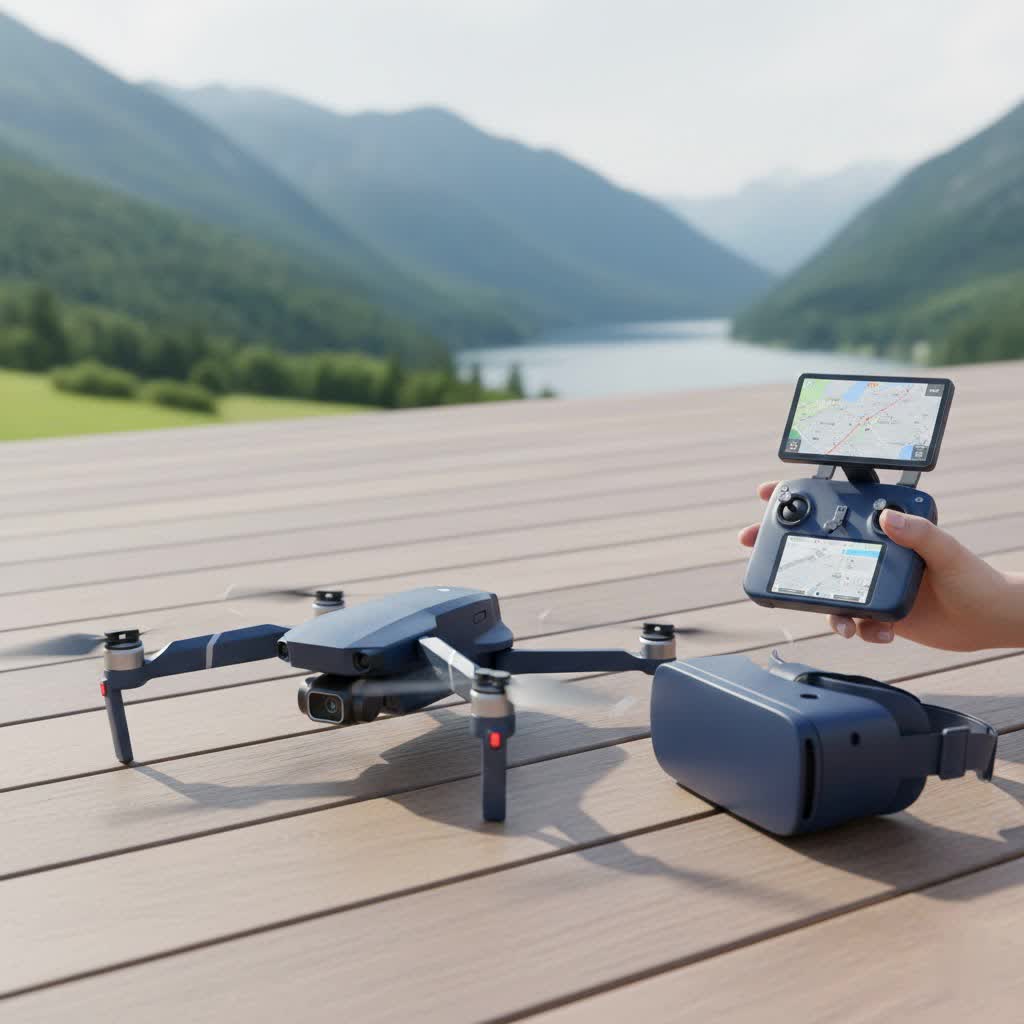
At RVSWS, we believe that understanding your equipment is the key to unlocking its full potential. Flying a drone is an incredible experience, but it comes with responsibility. Let’s walk through everything you need to know to get airborne safely and effectively.
What Do I Need to Know Before Flying a Drone?
Before your first flight, it’s crucial to understand the basics of your aircraft and the environment you’ll be flying in. A drone, or Unmanned Aerial Vehicle (UAV), is a sophisticated piece of technology with multiple systems working in harmony. Familiarize yourself with the controller’s layout, the function of each stick and button, and how to read the telemetry data (like battery life and altitude) on your screen.
Think of it like learning to drive a car; you wouldn’t hit the highway without knowing where the brakes are. The same principle applies here. Spend time with the user manual, watch tutorials for your specific model, and even consider practicing on a simulator if one is available. This initial time investment will pay dividends in preventing crashes and building your confidence.
Your Pre-Flight Checklist: Safety First
Every successful flight begins on the ground. A thorough pre-flight check is a non-negotiable habit that every pilot, from beginner to expert, must adopt. It ensures your drone is in optimal condition and that you’ve accounted for all external factors.
“A five-minute pre-flight check can be the difference between a great day of flying and a costly accident. Never skip it. The sky can be an unforgiving place, but preparation makes it a safe one.”
— Alex Hartman, Veteran Aerial Cinematographer
Here is a simple checklist to run through before every launch:
- Weather Conditions: Check for wind, rain, and extreme temperatures. Most consumer drones struggle in winds exceeding 20 mph (32 kph). Flying in wet conditions is a major risk.
- Physical Inspection: Look for any damage to the drone’s body, propellers, and camera gimbal. Cracked propellers are a common cause of failure and must be replaced immediately.
- Battery Levels: Ensure both the drone and controller batteries are fully charged. A low controller battery can cause you to lose connection mid-flight.
- GPS Lock: Wait for the drone to acquire a strong GPS signal. This is essential for stable hovering and the “Return to Home” safety feature. Most apps will give you a clear “Ready to Fly” message.
- Flight Area Scan: Survey your surroundings for obstacles like trees, power lines, and buildings. Be aware of people and animals in the area and ensure you have a clear, flat spot for takeoff and landing.
- Know the Rules: Be certain you are legally allowed to fly in your chosen location. Check for local restrictions and no-fly zones.
How to Fly a Drone: A Step-by-Step Guide
With your pre-flight checks complete, it’s time for the exciting part. For your first few flights, find a large, open field with no obstacles. This gives you plenty of room for error.
Step 1: Arming the Drone
|
Our Picks for the Best Drone in 2026
As an Amazon Associate I earn from qualifying purchases.
|
||
| Num | Product | Action |
|---|---|---|
| 1 | DJI Mini 3 (DJI RC), Lightweight 3x Mechanical Gimbal Drones with Camera for Adults 4K, 38-min Flight Time, up to 32800ft (10km) Video Transmission, Vertical Shooting, GPS Auto Return Integrated |

|
| 2 | Drone with Camera - Drones for Adults, with 2 Batteries, Carrying Case, Propellers, 1080P HD Foldable Drone with Stable Hover, Trajectory Flight, Gravity Control, One Key Take Off/Land, 3D Flip |
|
| 3 | Drone with Camera 1080P HD FPV Foldable Drone for Adults and Beginners, RC Quadcopter with Gravity Control, One Key Take Off/Land, Optical Flow Positioning, 360° Flip, 3 Speed Mode, Waypoint Fly Grey |
|
| 4 | DJI Mini 3 Fly More Combo (DJI RC), Drones with Camera for Adults 4K, 3 Batteries for 114-min Flight Time, Vertical Shooting, 32800ft (10km) Video Transmission, Lightweight Mini Drone for Beginners |
|
| 5 | DJI Neo, Mini Drone with 4K UHD Camera for Adults, 135g Self Flying Drone that Follows You, Palm Takeoff, Subject Tracking, QuickShots, Stabilized Video, Built-In Propeller Guard (Controller-Free) |
|
| 6 | DJI Neo Three-Battery Combo, Mini Drone with 4K UHD Camera for Adults, 135g Self Flying Drone that Follows You, Palm Takeoff, Subject Tracking, QuickShots, Stabilized Video (Controller-Free) |
|
| 7 | Drone with 1080P Camera for Beginners and Adults, Foldable Remote Control Quadcopter with Voice Control, Gestures Selfie, Altitude Hold, One Key Start, 3D Flips, 2 Batteries, Toy for Beginners |
|
| 8 | Drone with Camera for Adults, 2K HD FPV Drones with Upgrade Altitude Hold, One-Key Take Off/Landing, Speed Adjustment, Headless Mode, 2 Batteries, Toys Gifts for Teen Boys Girls, Beginner |
|
| 9 | LỖI |
|
| 10 | DJI Mini 5 Pro Fly More Combo with DJI RC 2, Drone with Camera, 1-Inch CMOS, 4K Drone for Beginners with Omnidirectional Obstacle Sensing, ActiveTrack 360°, 225° Gimbal Rotation, 3 Batteries |
|
Place the drone on a flat surface facing away from you. Turn on the controller first, then the drone. Go through the “arm” sequence as instructed by the manufacturer, which usually involves a specific stick command. The propellers will start spinning at a low speed.
Step 2: The First Takeoff
Gently push the left stick (Throttle/Yaw) upwards. The drone should lift off the ground. Your goal is to get it to a stable hover about 5-10 feet (1.5-3 meters) off the ground. Don’t be timid with the throttle; a slow, hesitant takeoff can sometimes cause the drone to drift into its own turbulence and become unstable.
Step 3: Mastering the Basic Controls
Spend your first flight just hovering and getting a feel for the controls.
- Left Stick (Mode 2):
- Up/Down: Controls altitude (Throttle). Push up to go higher, down to descend.
- Left/Right: Rotates the drone’s nose (Yaw).
- Right Stick (Mode 2):
- Up/Down: Moves the drone forward and backward (Pitch).
- Left/Right: Moves the drone side to side (Roll).
Practice making small, deliberate movements. The key is to be gentle on the sticks.
Step 4: Simple Flight Patterns
Once you are comfortable hovering, try flying in simple patterns. A great exercise is to fly a square box shape, keeping the drone’s camera pointed away from you the entire time. This helps you build muscle memory and understand how the drone responds to your inputs.
Step 5: A Smooth Landing
When you’re ready to land, fly the drone back to your designated landing spot. Slowly pull down on the left stick to descend. As the drone gets within a foot of the ground, continue to pull the stick down gently until it touches down. Once it’s on the ground, hold the left stick all the way down to disarm the motors.
Understanding the Rules of the Sky: Drone Regulations
Operating a drone isn’t just about skill; it’s also about following the law. Regulations vary by country, so always check the rules for your specific region. In the United States, the Federal Aviation Administration (FAA) sets the guidelines for flying a drone.
Key FAA rules for recreational flyers include:
- Register your drone if it weighs over 0.55 lbs (250 grams).
- Always fly at or below 400 feet.
- Keep the drone within your visual line of sight.
- Never fly near other aircraft, especially near airports.
- Do not fly over groups of people, stadiums, or public events.
- Respect privacy and do not fly over private property without permission.
Before you fly, use an app like the FAA’s B4UFLY to check for airspace restrictions in your area.
Pro Tips for Better Drone Flying
- Master “Orientation”: The biggest challenge for new pilots is keeping track of the drone’s orientation. When the drone is facing you, the controls are reversed. Practice flying with the nose pointed in different directions to get comfortable.
- Use Beginner Mode: Most drones have a beginner mode that limits speed and altitude. Use it until you feel fully in command of the aircraft.
- Learn the “Return to Home” (RTH) Feature: Understand how your drone’s RTH function works. It’s a crucial safety feature that automatically brings the drone back to its takeoff point if the signal is lost or the battery is critically low.
- Practice in Different Conditions: Once you’re comfortable, practice flying in a light breeze to understand how weather affects performance.
Frequently Asked Questions (FAQ)
Do I need a license for flying a drone?
For purely recreational flying in the U.S., you do not need a license. However, you must pass The Recreational UAS Safety Test (TRUST) and carry proof of passing. If you plan to fly for commercial purposes (e.g., selling photos, doing real estate work), you must obtain a Part 107 certificate from the FAA.
How high can I legally fly my drone?
For both recreational and commercial pilots in most regions, the maximum altitude is 400 feet above ground level. This ensures your drone stays clear of manned aircraft.
What happens if I lose connection with my drone?
Most modern drones have a failsafe feature. If the connection between the controller and the drone is lost, the drone will typically initiate its “Return to Home” (RTH) sequence, using GPS to fly back to its original takeoff point.
Can I fly my drone at night?
Rules for night flying have recently been updated. In the U.S., recreational and commercial pilots can fly at night, but the drone must be equipped with anti-collision lights that are visible for at least three statute miles.
How far can a drone fly from its controller?
The range varies significantly by model, from a few hundred feet for toy drones to over 7 miles (12 km) for high-end consumer drones. However, you must legally keep the drone within your visual line of sight at all times, which is typically much closer than the drone’s maximum range.
Your Journey as a Pilot Begins Now
Flying a drone is a rewarding skill that blends technology, artistry, and a unique sense of freedom. By starting with a foundation of safety, understanding your equipment, and respecting the rules, you set yourself up for success. Remember that every expert pilot was once a beginner. Be patient with yourself, practice consistently, and never stop learning. Now, go complete your checklist and get ready for takeoff
